After Dark: Ten Usability Faults That Surface When UK Users Are Tired, Interrupted or Offline
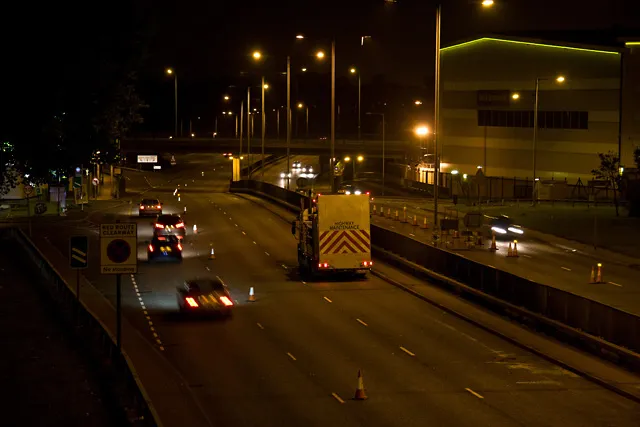
Photo: Martin Addison, CC BY-SA 2.0, via Wikimedia Commons
There is a reason the brand says 247 and not 9-to-5. Services that hold up during a quiet Tuesday morning rehearsal routinely fall apart at 3am, when the person using them is three hours into a night shift, holding a phone in one hand and a clipboard in the other, and has already been interrupted twice. Software is not tested in that state nearly often enough.
The usual test script assumes a rested participant, a stable connection and an uninterrupted stretch of attention. Remove any one of those and a different interface emerges — one with sharper edges. What follows is a catalogue of the faults we see most often when teams extend their testing beyond the happy path, together with a checklist for running an audit outside working hours.
Why the daytime bias persists
Recruiting participants for evening or overnight sessions is harder, marginally more expensive and awkward to schedule around sprint ceremonies. The result is a corpus of research that quietly reflects the habits of people who work in offices. Meanwhile, a substantial share of UK service use happens outside those hours: NHS 111 triage at midnight, warehouse and depot systems through the small hours, HMRC self-assessment filing on the last evening before a deadline, and the long commuter stretches on the West Coast Main Line where connectivity is intermittent at best.
Ten faults worth hunting for
1. Timeouts that arrive mid-task. A ten-minute inactivity limit is defensible for a banking dashboard and indefensible for a multi-page clinical referral form. When the timeout still exists, the question is whether the user is warned, whether the warning is perceivable with a screen reader, and whether work can be extended without losing it.
2. Silent session expiry. Where the session ends without notice, the user typically discovers the problem at submission. Everything entered is gone, and the recovery route is a blank form. This is the single most common overnight complaint we encounter.
3. Offline states that misrepresent reality. A spinner that never resolves is worse than an honest message. On rail routes with patchy coverage, users need to know whether their input has been queued, whether it will be sent, and how to check later.
4. Data lost on back navigation. Browser back buttons and in-app gestures remain treacherous. A tired user correcting a typo should not be punished with a cleared form; the redundant entry expectations in WCAG 2.2 point in the same direction.
5. Error messages written for developers. "Invalid input" tells a stressed shift worker nothing. Errors need to name the field, describe the problem in plain English, and say what to do next — ideally without a red-on-red contrast pairing that vanishes in a dimly lit room.
6. Legibility in low light. Night-shift environments are often dark, with screens dimmed to protect colleagues. Grey-on-grey placeholder text and thin iconography that read acceptably at midday become invisible after dark. Test at reduced brightness, not just at default settings.
7. Blocked paste and aggressive autofill rules. Reference numbers arrive by text message, then have to be retyped because a field rejects pasting. Under time pressure, transcription errors multiply.
8. Security checks under cognitive load. Puzzle CAPTCHAs and timed one-time passcodes are especially hostile to anyone who is tired, distracted or using a screen reader. Accessible authentication is a design obligation, not a nice-to-have.
9. Ambiguous status feedback. A badge that says "processing" without a timestamp leaves a night-shift user refreshing repeatedly. State should be explicit: what happened, what happens next, and when.
10. Support routes that close at five. The help link that leads to a 9-to-5 phone line is a usability failure disguised as a policy. Where out-of-hours support genuinely is not available, say so clearly and provide an alternative channel.
An overnight audit checklist
- Shift the clock. Run at least one moderated session between 22:00 and 06:00, and one on a throttled connection emulating rural 3G.
- Interrupt deliberately. Ask participants to complete a task while answering a question every ninety seconds. Observe what gets dropped.
- Test on the devices people actually own. Older handsets, small screens, cracked glass, one-handed use on a moving train.
- Force every timeout. Sit on a form for the full inactivity window and record precisely what the user is told and what they retain.
- Pull the network. Switch to flight mode mid-form and document every state, including the recovery path.
- Check dark-room contrast. Screenshot key screens at 30% brightness and inspect with a contrast checker.
- Read the error copy aloud. If it sounds accusatory or vague, rewrite it before release.
- Walk the support journey. Follow the help link at 02:00 and see where it lands.
Turning findings into a backlog
Overnight testing produces a different kind of defect list: fewer visual quibbles, more lost work, more abandonment. Group the findings by cost to the user rather than by component, and prioritise anything that destroys entered data or strands someone without a route forward. These are rarely large engineering projects — a draft-saving mechanism, a clearer timeout warning, honest offline messaging — but they need to be scheduled rather than noted.
Round-the-clock usability is not a slogan about support hours. It is a testing commitment: if a service is available at 3am, it should be evaluated at 3am, by people whose circumstances resemble those of the person relying on it.