Checked at the Threshold: A Practical Audit for UK Age Assurance Journeys
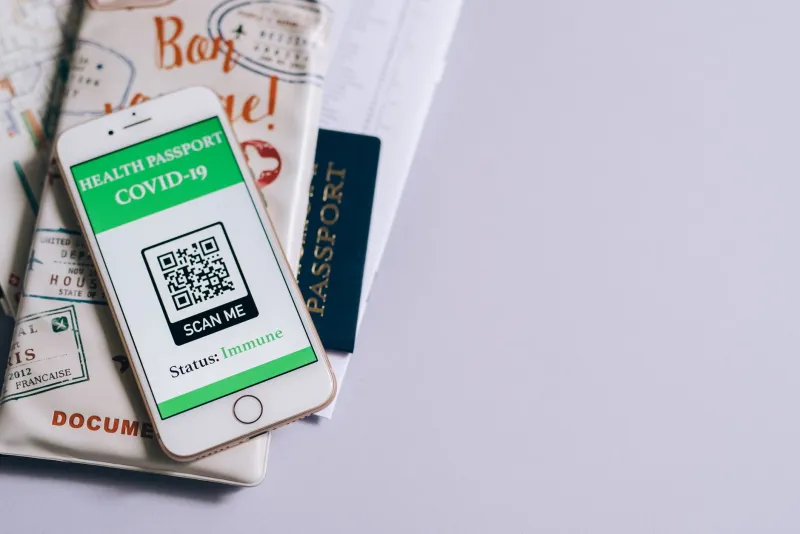
As of November 2026, age assurance has become a familiar threshold in UK digital services. It appears in regulated content, retail, gambling, dating, social platforms and, increasingly, in services that simply decide it is prudent to know who is on the other side of the screen. The policy argument is usually about proportionality and privacy. The user experience argument is more concrete: can a person prove their age, first time, without unnecessary friction, and can they recover when the check fails?
That question matters because age gates are not neutral doors. They are small, high-stakes journeys built from document capture, camera permissions, liveness prompts, database checks and error states. When they work, they disappear. When they fail, they can strand a legitimate user outside a service with no obvious route back in. For UK product teams, the practical task is to audit the threshold as a journey, not as a compliance box.
Why age assurance needs a usability audit
A common assumption is that age verification is either technically correct or legally defensible, and that usability is a secondary concern. In practice, the control only works if real people can complete it. A check that rejects a 30-year-old because their driving licence photo is dated, or that fails a user with a tremor during a liveness prompt, is not a successful control. It is a failure that happens to be logged.
The audit lens should therefore be wider than the happy path. It should include people without a passport, people who share a device, people on low incomes, older users, disabled users, people with non-Latin names, and people whose connection drops midway through a camera upload. It should also include the ordinary user who is simply in a hurry and does not understand why a retailer now wants a selfie before it will sell them a kitchen knife.
The fault lines to test
Document scanning
Document capture is the most visible part of many age assurance journeys, and it is where exclusion often begins. Test with a UK driving licence, a passport, a biometric residence permit and a proof-of-age card where accepted. Then test with documents that are valid but awkward: worn covers, glare from a laminate, a name that has changed, a hyphenated surname, a photo taken several years ago. Observe whether the interface explains what it needs before the camera opens, whether it allows a retry without re-entering everything, and whether it distinguishes a poor image from a failed check.
Facial estimation and liveness
Facial age estimation and liveness checks can introduce accessibility problems that are not obvious in a lab. Users with facial differences, low vision, tremors, fatigue or unfamiliar lighting may struggle with prompts such as turn left, blink or hold still. The audit should record how instructions are given, whether there is a non-camera alternative, how long the user has, and what happens after repeated failure. A check that cannot be completed by a disabled user is not proportionate simply because it is quick for everyone else.
Privacy messaging
The privacy notice is part of the interface. Users need to understand why the check is happening, what is retained, who sees it and how long it stays. In testing, do not ask whether the notice exists. Ask users to explain, in their own words, what will happen to their document image and whether they believe a selfie is stored. If they cannot answer, the messaging has failed even if the legal wording is present. Age assurance often asks for sensitive data; the interface should not make people guess.
False rejections and recovery
False rejections are a usability fault with a human cost. A young-looking adult, a person with an expired but still recognisable document, or someone whose address has changed may be treated as suspect by a system that cannot explain itself. The audit should count first-attempt failures, repeat attempts, abandoned journeys and support contacts. It should also test the language of rejection. A message that says the check failed without saying what to do next turns a recoverable error into a dead end.
Fallback routes
Every age gate needs a route for people who cannot use the primary method. That might be an in-person check, a telephone route, a postal option, an assisted digital appointment or a trusted third-party verification. The fallback should be findable before the user has failed three times, not buried in a help centre. It should also be tested with the same rigour as the main journey. A fallback that exists on paper but takes five working days is not a realistic recovery route for someone trying to access a service today.
A practical checklist for UK product teams
- Map the age assurance journey end to end, including entry points, consent, camera permissions, document capture, submission, waiting states, rejection, retry, fallback and support.
- Recruit testers who do not all have passports, recent smartphones or fast broadband. Include disabled users and older users in the sample.
- Measure completion rate, time to complete, first-attempt pass rate and abandonment by cohort, not just overall.
- Test on a shared device and on a device where camera permissions have previously been denied.
- Ask users to explain the privacy messaging in their own words. Record confusion, not just comprehension scores.
- Review error messages for actionability. Each rejection should say what went wrong, what to try next and where to get help.
- Check that the fallback route is visible, accessible and realistic within the time the user needs the service.
- Test with a dropped connection and a mid-journey refresh. Confirm whether the user must start again or can resume.
- Review the journey against WCAG 2.2 and the UK public sector equality duty where relevant, but do not treat conformance as proof of usability.
- Log support contacts and complaints linked to age checks. These are early warnings of a threshold that is excluding legitimate users.
What good looks like
A good age assurance journey is not necessarily invisible, but it is legible. It tells the user what is required before asking for a document. It explains why the data is needed and what will happen to it. It allows a retry without punishment. It offers a fallback that a person can actually use. It works at 2am for someone on a slow connection, and it works for someone who has never owned a passport.
For UK product teams, the audit question is simple: who is being asked to prove something, and what happens when they cannot? Age assurance will remain a contested policy area. The usability profession can at least make sure the threshold is tested with the same care as the rest of the service. Usability247's view is practical rather than absolutist: age checks should be proportionate, accessible and recoverable, and they should be audited as journeys rather than approved as features.